B-811
Works with the B-811 Smart Gateway
The W900 Desktop Software is used with the B-811 Smart Gateway. Together, they can be used in conjunction with any of our display panels as an optional addition.

Voerka W900 works with the B-811 Smart Gateway to record, manage and export nurse call information — an optional addition for any of our display panels.
 B-811 Smart Gateway · any display panel
The W900 Desktop Software allows the system to record, manage and export nurse call information.
The W900 Desktop Software is used with the B-811 Smart Gateway. Together, they can be used in conjunction with any of our display panels as an optional addition.
The software is available in different capacities: up to 50, 200, 500, 1,000 or 3,000 nurse call buttons.
The PC or laptop running the software needs to be connected to the internet via a LAN cable.
Call Button programming is performed through the Desktop Software.
Recorded calling information can be exported to an Excel spreadsheet for record keeping and reporting.
The software is available in the following capacities, depending on the number of nurse call buttons you require:
A look at the W900 interface: layout building, device management, call cancelling, records and statistics. Click any image to view it full-size.
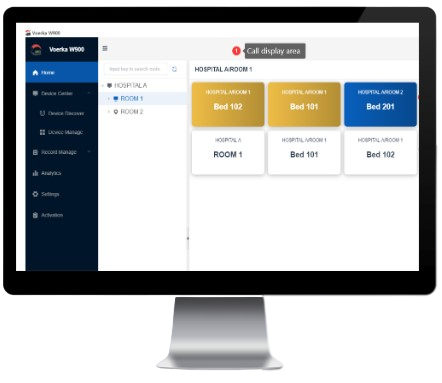
Create rooms and beds, then see calling information appear on the call display area.
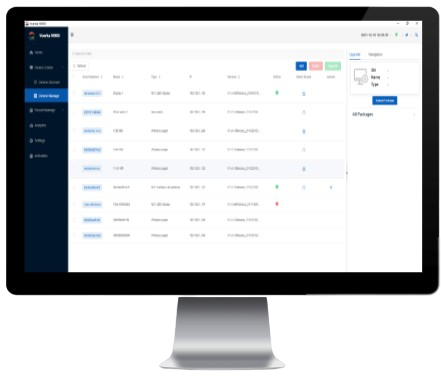
Discover, authorize and manage the display panel, gateway and call buttons in one place.
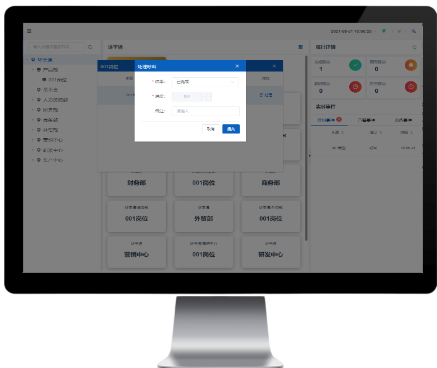
Cancel outstanding calls directly from the software when a call button has been pressed.
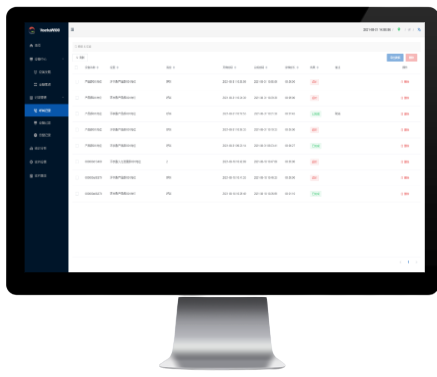
Review the call and cancel times of every nurse call button in a detailed record list.
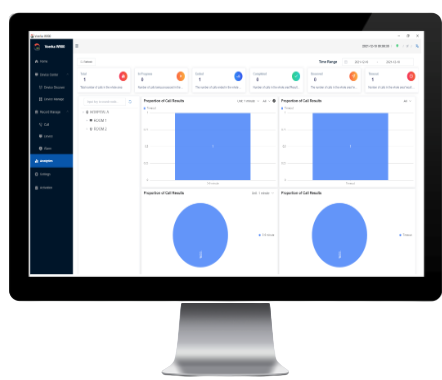
Analyse call results and proportions of call results, then export the data for reporting.