
BellMe — Saving Lives
Wireless display panel · 433.95 MHz

The B-99G Display Panel

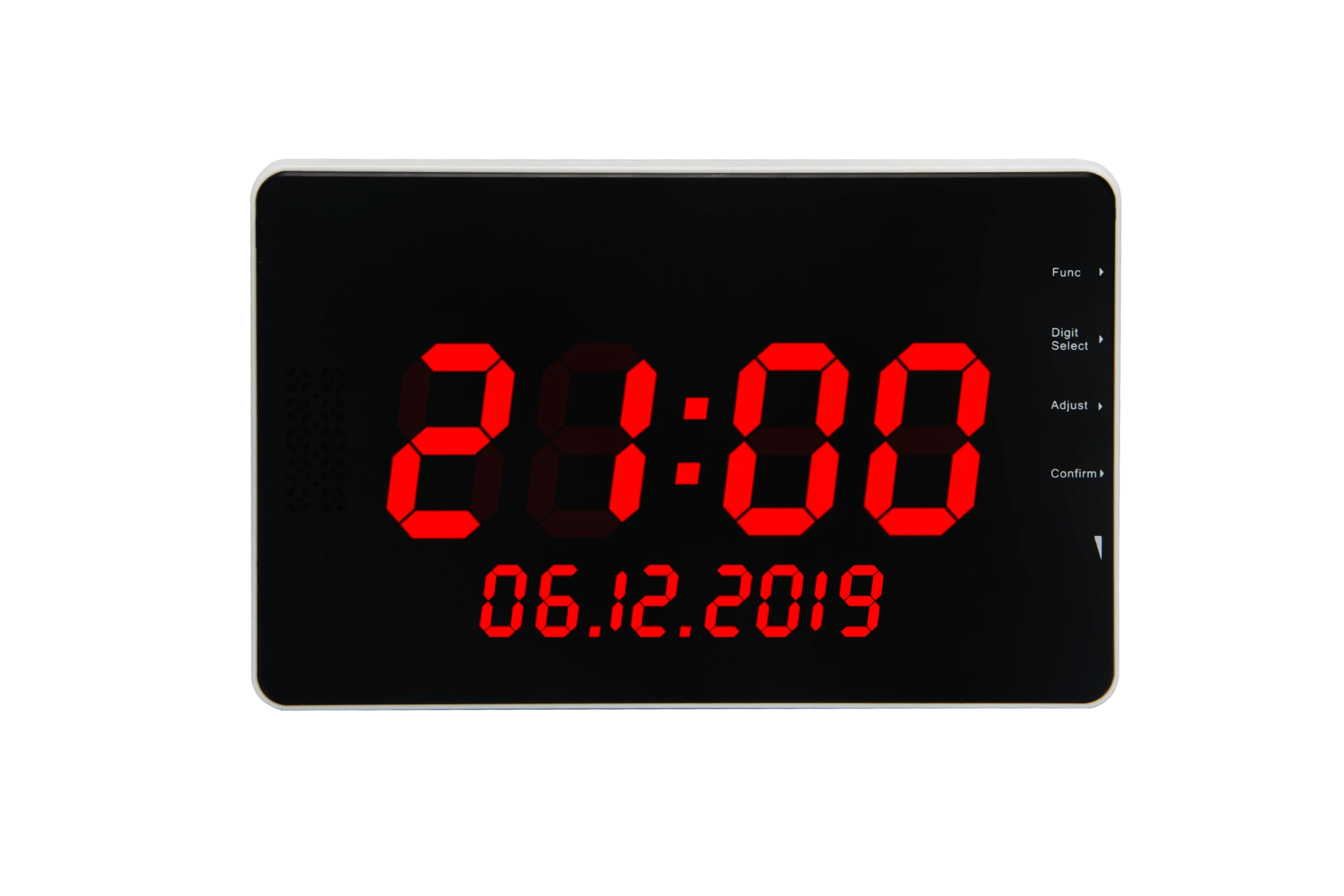
A wireless display panel that receives and shows alerts from BellMe Call Buttons. On standby, the display shows the date and time; the moment a button is pressed, the calling information takes over the readout.

Button capacity
256
Display
A01
Warranty
2 yr
BellMe B-99G display panel showing the time and date on its red LED readout

On standby the panel shows the date and time. First character of a call: 0–9 or A, b, C, d, E, F. Calls stay on screen until cancelled or auto-cancelled.

Rolling · 5–99 sAuto-cancel · 00–99 min

Key features

Everything the panel does once it is on the wall — capacity, readout behaviour, and audio.

256

Call button capacity

Up to 256 Call Buttons can be programmed to a single B-99G Display Panel.

A01

3-digit display

The display supports three characters. The first character can be a number from 0–9, or one of the letters A, b, C, d, E, F.

Hold

Display time

When a Call Button is pressed, the calling information remains on the display until the call is cancelled with a Cancel Button — or automatically, if Auto-Cancel has been enabled.

Auto

Auto-Cancel

The B-99G can automatically cancel calls after a selected period. Cancel Buttons are optional if automatic cancellation is preferred.

5–99

Rolling display & queuing

When multiple calls are active at the same time, the display rotates between the outstanding calls, on an interval you set from 5 to 99 seconds. When the current call is cancelled, the next outstanding call is displayed — and the display can indicate how many calls are waiting for assistance.

7

Alert tones

7 different ringtone options with adjustable volume, plus optional spoken number announcements. The spoken announcement calls out the number, but does not say “next customer”.

Power supply & mounting

Each B-99G ships ready to install with the essentials included in the box.

  • 01DC12V power supply
  • 021-metre power cable
  • 03Mounting bracket

3-digit display

The first character of the readout accepts a number from 0–9, or one of the following letters:

AbCdEF
SpecificationDetails
Working voltageDC12V
Working current<900mA
Frequency433.95 MHz
Audio output2W
Warranty2 Years
Button capacityUp to 256
Display3 characters

Function settings

F01–F11, indexed. Every function follows the same entry: press Func, adjust to the code, then press Confirm.

F01

Program a button

  1. 01Press Func on the side of the display panel. F01 will appear on the screen.
  2. 02Press Confirm.
  3. 03Use Adjust and Digit Select to select the information you want to assign to the button.
  4. 04Once the desired information is displayed, press Confirm. The screen will display _ _ _.
  5. 05Press the Call Button you want to program. The screen will beep and display the next available information.
  6. 06Press Func twice to exit.
  7. 07Press the newly programmed Call Button to confirm that it works correctly.
F02

Delete a button

  1. 01Press Func. F01 will appear.
  2. 02Press Adjust until F02 is displayed.
  3. 03Press Confirm.
  4. 04Use Adjust and Digit Select to select the information you want to remove.
  5. 05Press Confirm. The screen will beep and display the next available information.
  6. 06Press Func twice to exit.
  7. 07Press the deleted Call Button to confirm that it is no longer programmed.
F03

Set the date & time

  1. 01Press Func. F01 will appear.
  2. 02Press Adjust until F03 is displayed.
  3. 03Press Confirm.
  4. 04Use Adjust and Digit Select to set the correct date and time.
  5. 05Press Confirm.
  6. 06Press Func twice to exit.
F04

Set rolling time

  1. 01Press Func. F01 will appear.
  2. 02Press Adjust until F04 is displayed.
  3. 03Press Confirm.
  4. 04Use Adjust and Digit Select to select the rolling time from 00–99. 00 = no rolling time.
  5. 05Press Confirm. The screen will beep and display the information again.
  6. 06Press Func twice to exit.
  7. 07Press a button to test the setting.
Rolling Display note. Rolling Display Mode allows the display to alternate between multiple outstanding calls. If rolling time is set to 00, the display will only show the most recently pressed call.
F05

Set reminder mode

1English broadcast: ID number + need
2English broadcast: Call
3Ringtone
  1. 01Press Func. F01 will appear.
  2. 02Press Adjust until F05 is displayed.
  3. 03Press Confirm.
  4. 04Use Adjust to select one of the settings below.
  5. 05Press Confirm. The screen will beep and display the setting again.
  6. 06Press Func twice to exit.
  7. 07Press a Call Button to test the setting.
If F05 is not available. If Function 5 is not available and the display keeps skipping over it: unplug the display panel, hold down the Function button, and switch the display panel back on while continuing to hold the Function button. Function 5 should now be available.
F06

Set the ringtone

  1. 01Press Func. F01 will appear.
  2. 02Press Adjust until F06 is displayed.
  3. 03Press Confirm.
  4. 04Use Adjust to select the desired ringtone.
  5. 05Press Confirm. The screen will beep and display the setting again.
  6. 06Press Func twice to exit.
  7. 07Press a button to test the setting.
F07

Set calling record display mode

1Only the last call is displayed
2All latest calls are displayed in sequence until cancelled
  1. 01Press Func. F01 will appear.
  2. 02Press Adjust until F07 is displayed.
  3. 03Press Confirm.
  4. 04Use Adjust to select a display mode.
  5. 05Press Confirm. The screen will beep and display the setting again.
  6. 06Press Func twice to exit.
  7. 07Press a button to test the setting.
F08

Set auto-cancel time

  1. 01Press Func. F01 will appear.
  2. 02Press Adjust until F08 is displayed.
  3. 03Press Confirm.
  4. 04Use Adjust and Digit Select to select the desired time from 00–99 minutes.
  5. 05Press Confirm. The screen will beep and display the setting again.
  6. 06Press Func twice to exit.
  7. 07Press a button to test the setting.
Auto-Cancel note. This setting determines how long the calling information remains displayed before it is automatically cancelled.
F09

Factory reset

  1. 01Press Func. F01 will appear.
  2. 02Press Adjust until F09 is displayed.
  3. 03Press Confirm.
  4. 04Use Adjust and Digit Select to change the display to 00.
  5. 05Press Confirm.
  6. 06Press Func twice to exit.
F10

Set English broadcast times

  1. 01Press Func. F01 will appear.
  2. 02Press Adjust until F10 is displayed.
  3. 03Press Confirm.
  4. 04Use Adjust to select the number of times the English announcement should play, from 1–15. For example: 1 = rings once, 2 = rings twice, 3 = rings three times.
  5. 05Press Confirm. The screen will beep and display the setting again.
  6. 06Press Func twice to exit.
  7. 07Press a button to test the setting.
F11

Set ringtone broadcast time

  1. 01Press Func. F01 will appear.
  2. 02Press Adjust until F11 is displayed.
  3. 03Press Confirm.
  4. 04Use Adjust to select the desired time from 00–99. 00 = continuous ringing. The default setting is 05 seconds.
  5. 05Press Confirm. The screen will beep and display the setting again.
  6. 06Press Func twice to exit.
  7. 07Press a button to test the setting.